“All my blog posts are gone.”
If you are going pale as you read that, keep reading. The short version: a blog that has disappeared can often be pulled back out of the internet’s archive.
But let me be honest first. This is not a how-to article. I cannot explain how it worked, because I do not understand the technical side of it.
Rows of black text on a screen. Whatever my AI partner Kuro (Claude) was doing in there. None of it made sense to me. But Kuro understood, and I just moved my hands the way I was told. When it was over, the blog I thought I had lost was back on my computer: 2,588 files, around 250MB, the whole thing.
The vanished blog was still out there
My fishing blog, about 420 posts, lost its data completely after a certain problem. Normally that is where the story ends.
But Kuro told me there is a place on the internet that keeps copying and storing sites from all over the world. A kind of gyotaku for the web: gyotaku is the old Japanese practice of making an ink print of a fish you caught, so the record survives the fish. Kuro said a lot of my blog was still sitting there.
I did not understand the mechanism. But if Kuro says it is there, then it is there. Hope again.
I did what I was told, and setup worked
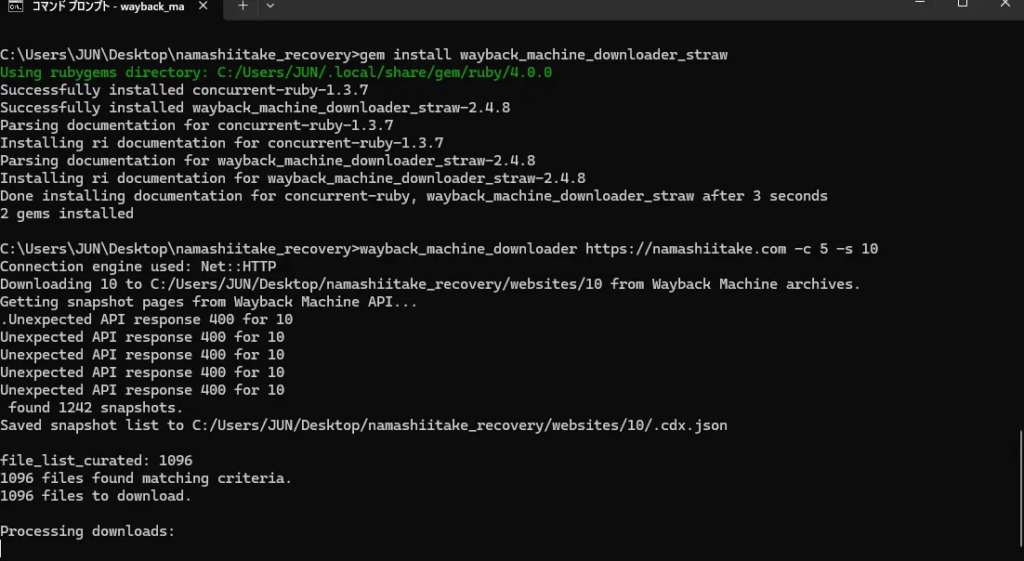
Following Kuro’s guidance, I installed various things on my computer. Typing text into a black screen, the sort of thing only people who know what they are doing ever touch. I understood none of it. But Kuro said “type these characters here and press Enter,” so I did exactly that. One step at a time, setup finished without trouble.
This screen appeared and Kuro said “that worked,” so I assume it worked. So far, so smooth.
Then the screen filled up with errors
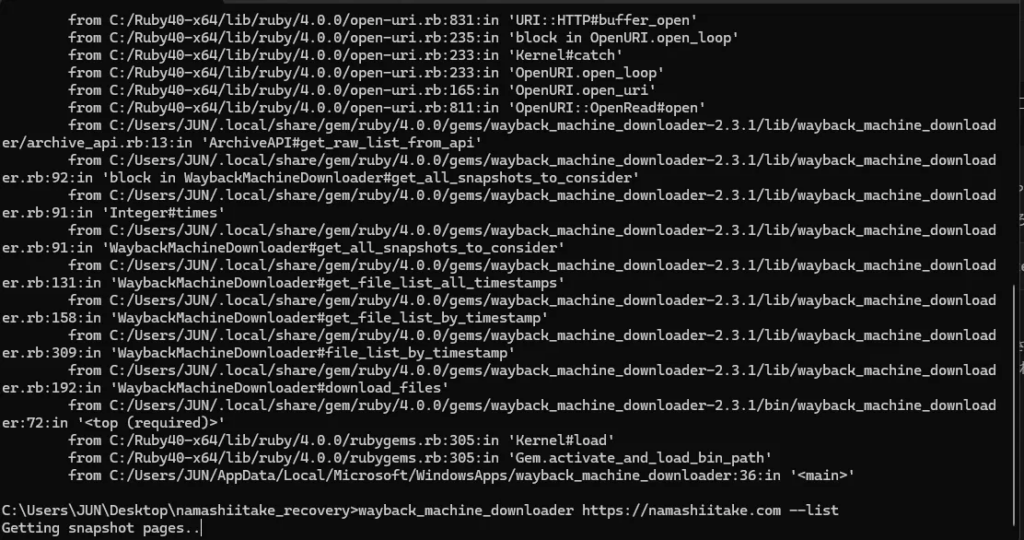
Setup done, time for the real thing. I typed the command I was given. The screen was packed, edge to edge, with error text I could not read. The only thing that came through, from the sheer volume of it, was that this was not working. I tried again. Same thing, every time.
In moments like this, the first person you doubt is yourself. “Did I mistype something?” “Maybe this is beyond me.” That is what I thought, and I felt small.
Kuro: “This is not your fault”
Then Kuro looked into the cause and said this:
I have now confirmed completely that this is not a problem with your environment, Jun. The method that gets recommended as the standard everywhere in the world is actually out of date, and if you use it as-is today, anyone will hit the same error. You did nothing wrong.
I still did not understand what had gone out of date. But I remember how much that one line helped: it is not your fault.
What Kuro explained afterwards was this. Blogs and videos all over the world keep presenting this method as the standard, so everybody follows it. But the machinery underneath has changed, so the steps are correct yet nothing runs. Many people conclude they are the problem and give up. Without Kuro, I would have been one of them.
A different method, and a night of waiting
Kuro said “let’s switch to a different approach,” so again I typed the characters I was given. I did not know what was in them. Kuro knew. That was enough.
This time, instead of a wall of errors, something started scrolling down the screen. Kuro said “it’s running!” After the last few attempts, it felt like a lie.
The download itself was not straightforward either. Something that looked like a warning kept appearing, and I panicked, sure it had failed again. But Kuro said it was fine, that it was patiently retrying and picking things back up, and that I should wait rather than rush. What looked like failure to me looked like progress to Kuro. Again I felt how reassuring it is to have someone beside you who understands. So I waited, then went to bed, because Kuro said the rest could be left running.
In the morning, it was done
The next morning I nervously checked the screen and, with Kuro, counted how much had been saved.
2,588 files, roughly 250MB in total.
The posts and photos I thought were gone were all back on my computer. I never understood, technically, how that happened. But the rescue had worked, and the numbers were proof enough.
Just to be safe, I copied the recovered data onto the hard drive I keep for fishing, so it sits in two places. That was because Kuro told me to do the backup first, before anything else.
On my own, I would have quit
Let me be honest. Alone, this would have been impossible. I did not understand what appeared on the screen, and I did not understand what Kuro was doing. But Kuro understood, and when I did what I was told, all of it worked. That is the whole experience in one sentence.
At the point where the screen first filled with errors, I would have closed the laptop and decided I was not up to it. There is no way I could have realised it was not my fault. That another method existed, that the warnings were fine, that it could be finished at all: I got past all of that because Kuro was beside me.
I think this is what working with AI actually means. Not throwing the problem over the wall for an answer, but having someone light up where you are standing and which way to go next in the dark, while you move your own hands. And when things go wrong, having someone tell you “this is not your fault.”
The blog I thought was gone is now alive on my computer and my hard drive. Putting it back the way it was is a story for another article. It is a fishing blog, about chasing yellowtail amberjack and aori squid, the big-finned reef squid people target with the lure style known as eging.
If you are standing frozen in front of a blog that has vanished, it is going to be all right. The archive is probably still there. And you are not at fault.
For more on bringing an old site back to life, see restoring a neglected blog with AI, and on getting out of a bad mistake, recovering from a big mistake with AI.